.jpg)
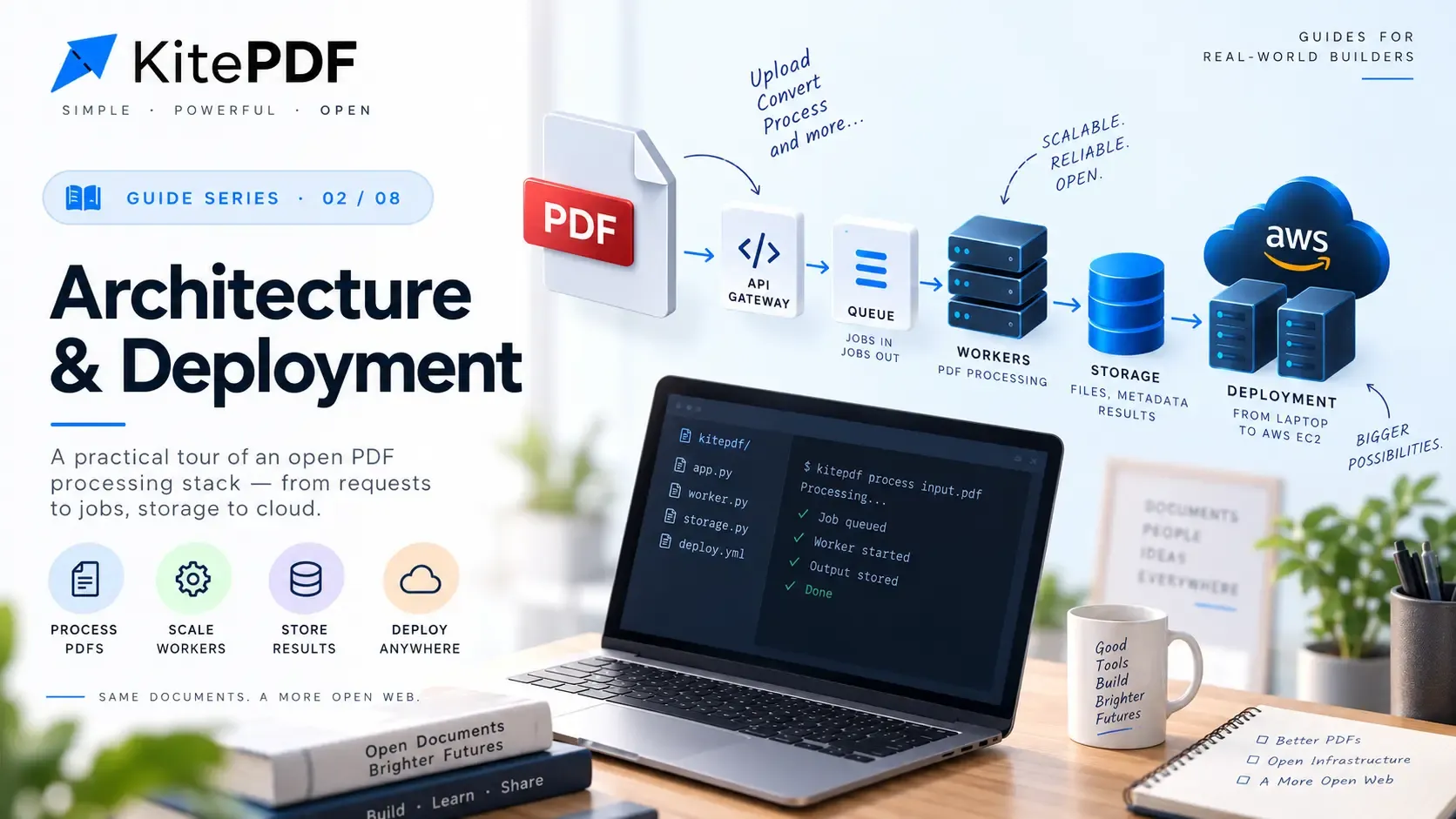
Why this guide exists
Part 3 shipped KitePDF on a single EC2 host behind nginx on port 80, with browsers talking to a raw public IP. That shape proved the product on real AWS. This part covers what we changed next: a real domain, HTTPS, and Caddy as the production edge—plus the URL, CORS, and auth alignment work that a domain forces into the open.
Read it as a learning note, not marketing: what we tried, why Caddy won for ACME, how Terraform still owns AWS shape (we do not click through the console to stand up buckets or security groups), and the exact order of operations when DNS, GitHub secrets, terraform apply, and workflow_dispatch all have to line up.
What changed since Part 3
The application plane did not grow. We still run one Amazon Linux 2023 instance, Docker Compose, Neon for both Postgres databases, S3 for bytes, SQS for jobs, and SSM for secrets. The changes sit at the edge and in every place that embeds a public origin.
| Layer | Part 3 (bootstrap) | Today (production) |
|---|---|---|
| Public URL | http://EC2_PUBLIC_IP | https://kitepdf.pro (www redirects to apex) |
| Edge proxy | nginx on :80 (localstack.conf) | Caddy on :80/:443 with automatic Let's Encrypt |
| TLS | None | ACME via Caddy; certs in Docker volume caddy_data |
| Image tags | prod (amd64 assumed) | :prod-amd64 on t3.micro; CI builds linux/amd64 only |
| S3 CORS | http://public-ip from Terraform | IP plus https://kitepdf.pro and https://www.kitepdf.pro |
| Deploy workflow | Deploy AWS (nginx) | Deploy AWS (Caddy) with caddy_tls toggle; nginx path retained |
| AWS resources | Terraform in infra/aws (IAM user credentials) | Unchanged—still no console-driven provisioning for S3, SQS, SSM, SG, EC2 |
Terraform still owns AWS
HTTPS and Caddy sit on top of the same Terraform stack Part 3 documents under infra/aws. Your IAM user runs terraform init, plan, and apply locally (or in CI later)—that creates the S3 bucket with CORS wired to the EC2 public IP, SQS queues, SSM parameters under ssm_base_path, CloudWatch log group, security group (SSH + HTTP/HTTPS), and the EC2 instance with an instance profile. We do not recreate those resources in the AWS console; the console is for reading state when debugging, not for provisioning.
| Resource | Why Terraform | Part 4 touchpoint |
|---|---|---|
| S3 + CORS | Browser uploads use presigned URLs; origins must match the public site | Add cors_extra_origins in terraform.tfvars when the domain goes live; re-apply |
| EC2 + security group | Single Compose host; ports 80/443 for Caddy ACME and HTTPS | ec2_public_ip output → EC2_HOST secret and DNS A records |
| SSM Parameter Store | Secrets never committed; containers read at startup | Same path as Part 3; URL promotion is mostly GitHub secrets + frontend bake |
| SQS + IAM role | Workers scale via queues, not console clicks | Unchanged when switching nginx → Caddy |
- After every apply, capture terraform output ec2_public_ip—it feeds EC2_HOST, bootstrap CORS, and Hostinger A records until you add an Elastic IP.
- cors_extra_origins is HCL in tfvars, not a bucket policy edit in the UI.
- When the instance stops and starts, public IP can change: terraform apply refreshes S3 CORS; you must update DNS and any IP-based env leftovers.
cd infra/awscp terraform.tfvars.example terraform.tfvars   # fill Neon, secrets, ec2_key_name, ssh_ingress_cidr
terraform init && terraform plan && terraform apply
terraform output ec2_public_ipterraform output cors_allowed_originsterraform output ssm_parameter_pathWhy Caddy over nginx for TLS
We evaluated keeping nginx and adding TLS the conventional way: obtain certificates, drop fullchain.pem and privkey.pem under nginx/certs/, switch the mount from localstack.conf to aws.conf, open 443 on the security group, and schedule renewals. That path works—nginx/aws.conf already names kitepdf.pro—but it optimizes for operators who want explicit control of every PEM file.
Caddy optimizes for the opposite: automatic HTTPS as a default. Point DNS at the instance, set SITE_HOST and ACME_EMAIL, publish 80 and 443, and Caddy obtains and renews certificates. For a single-host product where the edge's job is reverse proxy plus TLS—not complex Lua or multi-tenant vhosts—that is the right trade.
| Concern | nginx + manual certs | Caddy automatic HTTPS |
|---|---|---|
| First HTTPS bring-up | Issue certs, copy PEMs, wire aws.conf, reload | DNS + SITE_HOST + ACME_EMAIL + compose up |
| Renewal | cron, certbot, or external automation | Built-in; persists in caddy_data volume |
| Config surface for our routes | Familiar; we already had localstack.conf | Caddyfile.prod mirrors the same path rules |
| HTTP/3 | Extra modules / config | 443/udp published in the Caddy compose file |
| Team familiarity | Higher for many ops backgrounds | Lower initially; outweighed by ACME simplicity |
- Automatic Let's Encrypt with a global ACME email in the Caddyfile.
- www → apex permanent redirect with TLS on both names.
- HSTS on the apex site block.
- Same long timeouts and streaming-friendly flush behavior for /core/v1/* as nginx.
- 25MB request body limit at the edge for upload-sized tools.
Edge routing: same paths, new process
Routing did not change philosophy. The browser still hits one public entrypoint. Caddy terminates TLS, then splits traffic the same way nginx/localstack.conf and caddy/Caddyfile.local did: product UI on /, PDF API on /core/v1/*, probes and docs on explicit /core/* paths. Workers never see browser cookies; they stay on the internal Compose network and authenticate to the gateway with INTERNAL_SECRET from SSM.
| Path | Upstream | Purpose |
|---|---|---|
| / | frontend:3000 | Next.js app and Better Auth routes |
| /core/v1/* | api-gateway:8080 | PDF tools API (long timeouts, streaming) |
| /core/health | api-gateway:8080 | Load balancer / operator health check |
| /health | 301 → /core/health | Legacy probe URL kept for compatibility |
| /core/docs | api-gateway:8080 | Scalar OpenAPI UI when ENABLE_API_DOCS=true |
| /core/openapi/openapi.yaml | api-gateway:8080 | Spec file Scalar fetches |
| www hostname | 301 → apex | Single cookie origin on kitepdf.pro |
Caddyfile.prod mirrors caddy/Caddyfile.local on purpose: parity between IP bootstrap and HTTPS production. SITE_HOST and ACME_EMAIL come from Compose environment substitution. The apex block owns HSTS, explicit handles for health and docs, the API reverse_proxy with hour-long read/write timeouts and flush_interval -1 for streaming responses, and a default handle to frontend:3000.
# Shape of caddy/Caddyfile.prod (illustrative){  email {$ACME_EMAIL}}
www.{$SITE_HOST} {  redir https://{$SITE_HOST}{uri} permanent}
{$SITE_HOST} { request_body { max_size 25MB } header Strict-Transport-Security "max-age=31536000; includeSubDomains" redir /health /core/health 301 redir /core/docs/ /core/docs 301 # @api_long /core/v1/* → api-gateway (long timeouts) # handle /core/health, /core/docs, /core/openapi/openapi.yaml → api-gateway # handle { ... } → frontend:3000}Domain as a single change set
A domain is not a DNS A record alone. Auth cookies, JWT issuer and audience, NEXT_PUBLIC_* bake-time values, Better Auth base URL, and S3 CORS must all agree on the same origin. Treat promotion as one change set—not a sequence of half-updated environments.
| Surface | Must become | Notes |
|---|---|---|
| DNS | apex + www → EC2 public IP | No Elastic IP yet; stop/start can change the IP |
| NEXT_PUBLIC_BETTER_AUTH_URL / NEXT_PUBLIC_API_URL | https://kitepdf.pro and https://kitepdf.pro/core/v1 | Rebuild and push frontend; baked into the image |
| BETTER_AUTH_URL | https://kitepdf.pro | No trailing slash (same rule as Part 3) |
| AUTH_ISSUER / AUTH_AUDIENCE | https://kitepdf.pro/ | Trailing slash as configured in the gateway |
| AUTH_JWKS_URL | http://frontend:3000/api/auth/jwks | Still Docker DNS—never the public hostname |
| Terraform cors_extra_origins | https://kitepdf.pro and https://www.kitepdf.pro | Plus auto http://EC2_IP for bootstrap windows |
| SITE_HOST / ACME_EMAIL | kitepdf.pro + operator email | Required for caddy_tls=true deploys |
# Browser / cookiesBETTER_AUTH_URL=https://kitepdf.proNEXT_PUBLIC_BETTER_AUTH_URL=https://kitepdf.proNEXT_PUBLIC_API_URL=https://kitepdf.pro/core/v1
# API gateway JWT checksAUTH_ISSUER=https://kitepdf.pro/AUTH_AUDIENCE=https://kitepdf.pro/
# Inside Compose — unchanged from Part 3AUTH_JWKS_URL=http://frontend:3000/api/auth/jwks
# Caddy ACMESITE_HOST=kitepdf.proACME_EMAIL=ops@example.comCompose files and the caddy_data volume
The repo keeps a small matrix so you can bootstrap by IP and promote to TLS without inventing a new stack. Application services are identical across Caddy compose files; only the edge service and published ports differ.
| Compose file | Edge | When to use |
|---|---|---|
| docker-compose.nginx.prod.aws.yml | nginx :80 | Legacy HTTP path; Deploy AWS workflow |
| docker-compose.caddy.prod.aws.http.yml | Caddy HTTP :80 | Caddy by IP before DNS/ACME (caddy_tls=false) |
| docker-compose.caddy.prod.aws.yml | Caddy :80/:443 + 443/udp | Production HTTPS (caddy_tls=true) |
- TLS compose publishes 80, 443, and 443/udp; security group already allows 80 and 443.
- caddy_data is a named Docker volume—certificate state lives there.
- Deploys use compose up -d. Never compose down -v on production; wiping volumes deletes issued certs and forces re-issuance drama.
- PDFMASTER_IMAGE_TAG=prod-amd64 keeps EC2 and CI on the same architecture contract.
# HTTPS stack on the host (after DNS points at the instance)docker compose --env-file .env.prod.aws \  -f docker-compose.caddy.prod.aws.yml pull
docker compose --env-file .env.prod.aws \  -f docker-compose.caddy.prod.aws.yml up -d
curl -sfI https://kitepdf.pro/core/healthcurl -sfI https://kitepdf.pro/core/docs | head -n 5curl -sfI https://www.kitepdf.pro/ | head -n 5# expect redirect to apexDelivery: Deploy AWS (Caddy)
The blessed path for the domain stack is the Deploy AWS (Caddy) GitHub Actions workflow. It is the last step in a chain—not a standalone button. Terraform must have created the host and SSM path; EC2_HOST and SSH secrets must match terraform output ec2_public_ip; NEXT_PUBLIC_* and auth URLs must already reflect the origin you want baked into the frontend image. The workflow builds four :prod-amd64 images, pushes to Docker Hub, rsyncs compose + Caddyfiles + generated .env.prod.aws to the instance, stops any competing edge stack, and runs compose pull && up -d.
- Copy .env.github.aws.example → .env.github.aws; set EC2_HOST from terraform output ec2_public_ip; run gh secret set -f .env.github.aws and gh secret set EC2_SSH_KEY < key.pem separately.
- workflow_dispatch input caddy_tls=true requires SITE_HOST and ACME_EMAIL secrets—set them before the TLS deploy, not after DNS fails ACME.
- caddy_tls=false uses docker-compose.caddy.prod.aws.http.yml for IP-only bring-up (still needs correct NEXT_PUBLIC_* for that origin).
- Optional DEPLOY_COMPOSE_FILE secret overrides compose selection for advanced cases.
- Concurrency group deploy-aws-caddy prevents overlapping SSH deploys.
- Frontend build-args pull NEXT_PUBLIC_* from secrets—changing the domain without re-running the workflow leaves the old origin in the image.
name: Deploy AWS (Caddy)on: workflow_dispatch: inputs: caddy_tls: description: Use automatic HTTPS (requires SITE_HOST + ACME_EMAIL) type: boolean default: false# build → push :prod-amd64 → rsync bundle → compose pull/upRunbook: terraform apply → DNS → workflow
Promotion is sequential. Skipping a step or running them out of order produces the confusing failures in the lessons table—login on HTTPS with JWT issuer still on http://IP, ACME failures with DNS still on the old host, or CORS allowing the domain while the frontend image still bakes the EC2 IP. Follow the order below even if you already ran Part 3 once; refresh Terraform outputs before you trust old secrets.
- STEP01
Apply Terraform (create or refresh AWS)
From infra/aws with your IAM user credentials—not the EC2 instance role. This is the source of truth for bucket, queues, SSM, security group, and EC2. Save ec2_public_ip; you will paste it into GitHub secrets and DNS.
Apply Terraform (create or refresh AWS)yamlcd infra/aws && terraform applyterraform output ec2_public_ip - STEP02
Load GitHub Actions secrets
Copy .env.github.aws.example to .env.github.aws. Set EC2_HOST to the Terraform output IP (later unchanged if you only add DNS). Fill Neon URLs, REDIS_PASSWORD matching tfvars, SSM path, auth URLs for your current phase (IP or domain), SITE_HOST and ACME_EMAIL before the TLS deploy. Push secrets with gh secret set -f .env.github.aws; load the PEM with gh secret set EC2_SSH_KEY.
Load GitHub Actions secretsyamlcp .env.github.aws.example .env.github.aws# edit EC2_HOST, NEXT_PUBLIC_*, AUTH_*, BETTER_AUTH_URL, SITE_HOST, ACME_EMAIL, ...gh secret set -f .env.github.awsgh secret set EC2_SSH_KEY < ~/.ssh/your-keypair.pem - STEP03
First deploy — HTTP Caddy by IP
GitHub → Actions → Deploy AWS (Caddy) → Run workflow with caddy_tls=false. Confirms SSH, compose, SSM, Neon, and S3 presigns before you attach a domain. Hit /core/health and optionally /core/docs if ENABLE_API_DOCS is on.
First deploy — HTTP Caddy by IPyaml# After workflow succeedscurl -sf "http://$(terraform -chdir=infra/aws output -raw ec2_public_ip)/core/health" - STEP04
Align origins in Terraform and secrets
Before HTTPS, set cors_extra_origins to https://kitepdf.pro and https://www.kitepdf.pro in terraform.tfvars. Update GitHub secrets (and thus generated .env.prod.aws) so BETTER_AUTH_URL, AUTH_ISSUER, AUTH_AUDIENCE, and NEXT_PUBLIC_* all use https://kitepdf.pro. Apply Terraform so S3 CORS matches.
Align origins in Terraform and secretsyamlcors_extra_origins = ["https://kitepdf.pro","https://www.kitepdf.pro",]cd infra/aws && terraform apply - STEP05
Redeploy to bake the frontend
Run Deploy AWS (Caddy) again with caddy_tls=false (or true only after DNS—your choice). The workflow rebuilds the frontend with NEXT_PUBLIC_* build-args; skipping this leaves the old IP in the client bundle.
- STEP06
Point DNS at Hostinger (or your registrar)
Create A records for apex @ and www to ec2_public_ip. We use Hostinger for kitepdf.pro; TTL as low as your registrar allows while cutting over. Do not enable a CDN proxy in front of the origin until you understand ACME HTTP-01.
Point DNS at Hostinger (or your registrar)yaml# Illustrative — use your registrar UI# @ A <ec2_public_ip># www A <ec2_public_ip> - STEP07
Wait, then deploy with automatic HTTPS
Use dig or a browser from another network until apex resolves to the instance. Then Run workflow with caddy_tls=true (SITE_HOST + ACME_EMAIL secrets must already exist). Caddy obtains Let's Encrypt certs into the caddy_data volume.
Wait, then deploy with automatic HTTPSyamldig +short kitepdf.pro A# GitHub Actions: Deploy AWS (Caddy), caddy_tls=true - STEP08
Verify production edge
Confirm TLS, HSTS, www redirect, auth cookies on the apex, API under /core/v1, health and docs paths, and an upload/download through presigned S3.
Verify production edgeyamlcurl -sfI https://kitepdf.pro/curl -sf https://kitepdf.pro/core/healthcurl -sfI https://kitepdf.pro/core/docs | head -n 5curl -sfI https://www.kitepdf.pro/ | head -n 5
Production lessons from the cutover
| Symptom | Root cause | Fix pattern |
|---|---|---|
| ACME fails / no cert | DNS not at this host, :80 blocked, or SITE_HOST mismatch | Fix DNS/SG; check Caddy logs; confirm SITE_HOST equals the apex name |
| Login works on IP, fails on domain | BETTER_AUTH_URL / NEXT_PUBLIC_* still on http://IP | Update secrets, rebuild frontend, restart frontend |
| JWT rejected after cutover | AUTH_ISSUER/AUDIENCE still HTTP or wrong slash | Align gateway env; restart api-gateway |
| Browser CORS errors on upload | S3 CORS missing https origins | cors_extra_origins in tfvars → terraform apply |
| Port 80 already allocated | nginx and Caddy both running | Stop/remove the other edge compose stack |
| Certs vanish after redeploy | compose down -v wiped caddy_data | Never -v on prod; restore volume or re-issue once |
| Auth flakes after instance stop/start | Public IP changed; DNS or CORS stale | Update DNS A records; terraform apply for CORS |
What we still have not done
HTTPS and a domain closed the largest gap called out in Part 3. We still have not added an Elastic IP, remote Terraform state, autoscaled workers, or a second AWS environment for staging. The host remains a single blast radius; queues are still the intended scale-out point for PDF work.
- Elastic IP or other sticky addressing so DNS survives stop/start without edits.
- Tighter ssh_ingress_cidr and ongoing secret rotation drills.
- Remote Terraform state and a clearer promote-from-staging path.
- Worker horizontal scaling across hosts while keeping the edge on one or more proxies.
What to read next
Revisit Part 3 for the full Terraform module, SSM layout, and Neon migration workflow. Revisit Part 2 when JWT validation fails across environments—issuer, audience, and JWKS URL mistakes look the same on HTTPS as they did on HTTP. Future parts can cover local fidelity (prod-localstack with Caddy) and horizontal scaling once the public edge is no longer the unstable variable.