·  00:00:00  ·  ISSUE #214
ALL SYSTEMS NOMINALRSS ↗
BENCHLOGHARDWARE TESTED · SOFTWARE VETTED · IDEAS ARGUED
Subscribe
LIVE WIRE
14:02HARDWARERumor: RTX 5060 Ti 16GB refresh lands in March13:47SOFTWAREObsidian 1.10 beta adds a native sync-conflict view13:20GUIDESAWS cuts Graviton4 on-demand pricing by 9%12:58TALKSWe archived Carmack's 3-hour VR keynote, timestamps included11:31EDITORIALReader poll: 68% of you still run Windows 1010:14HARDWAREBench update: six NAS drives through a 72h stress test09:48GUIDESKubernetes 1.33 released: sidecar containers go GA09:02SOFTWARETailscale 1.80: what actually changed for homelab users08:40FEEDWeekly digest #214 is out for subscribers22:15HARDWARELG's 32″ 4K OLED measured: better than its own spec sheet14:02HARDWARERumor: RTX 5060 Ti 16GB refresh lands in March13:47SOFTWAREObsidian 1.10 beta adds a native sync-conflict view13:20GUIDESAWS cuts Graviton4 on-demand pricing by 9%12:58TALKSWe archived Carmack's 3-hour VR keynote, timestamps included11:31EDITORIALReader poll: 68% of you still run Windows 1010:14HARDWAREBench update: six NAS drives through a 72h stress test09:48GUIDESKubernetes 1.33 released: sidecar containers go GA09:02SOFTWARETailscale 1.80: what actually changed for homelab users08:40FEEDWeekly digest #214 is out for subscribers22:15HARDWARELG's 32″ 4K OLED measured: better than its own spec sheet

03 / HardwareReviewPeripherals9to5Mac

Hardware · Video Review

CalDigit TS5 Plus: the Thunderbolt dock that ends the dongle drawer

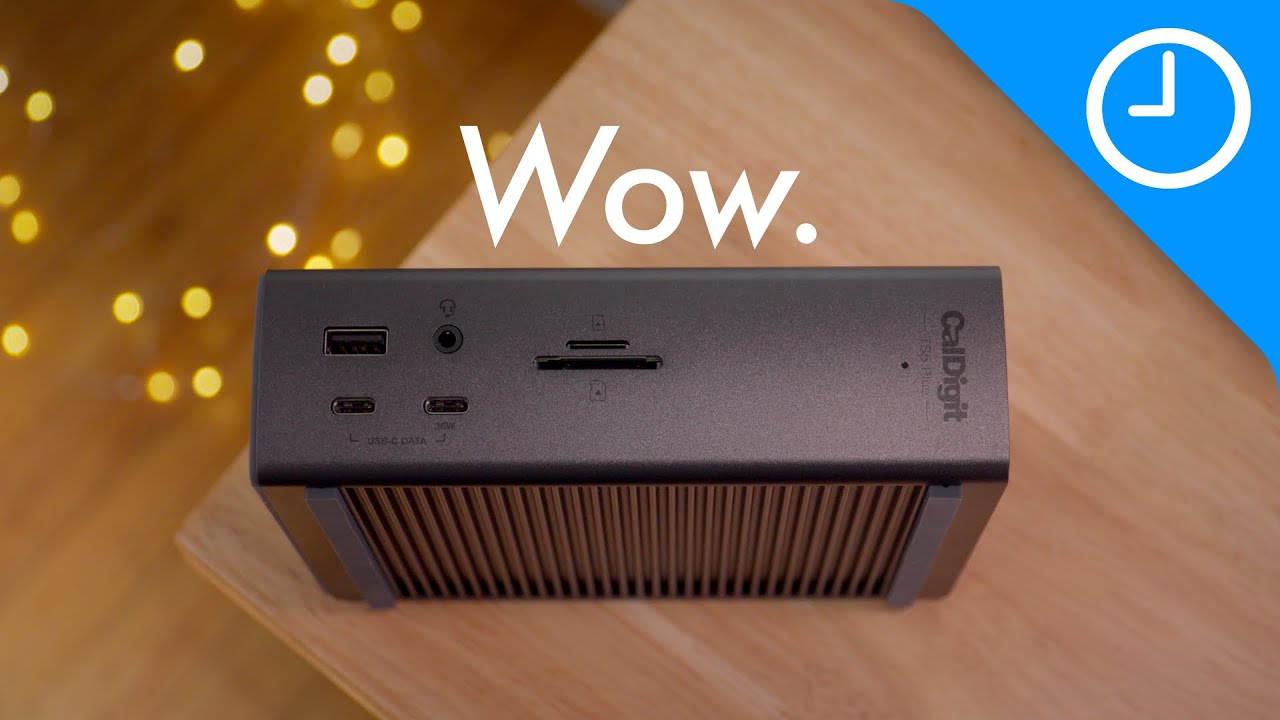
9to5Mac puts the TS5 Plus on the bench — 20 ports, up to 140W laptop power, Thunderbolt 5. We map it to the software-engineering desk: dual monitors, Ethernet, SSD, and the single-cable commute between sofa and workstation.

Score 8.9/10Peripherals#productivity#devtools~$500~15 minYouTubeArchived 1 Sept 2026
CalDigit TS5 Plus
Source channel9to5Mac
8.9/10
On this page
  1. 00 · Watch
  2. 01 · The take
  3. 02 · Scores
  4. 03 · Pros & cons
  5. 04 · Notes
  6. 05 · On camera
  7. 06 · TS4 vs TS5 vs TS5 Plus — buyer's map
  8. 07 · Engineering desk checklist
  9. 08 · Buy this / skip this
00

Watch the review

Source: 9to5MacWatch original ↗

Benchlog archives and annotates public hardware reviews. The original video remains the property of its respective channel and rights holders.

01

The Benchlog take

If your laptop is the CPU and your desk is the I/O, CalDigit remains the grown-up dock. TS4 ruled Thunderbolt 4; TS5 Plus is the current equivalent when you need maximum ports and power — buy TS5 (non-Plus) if you want fewer ports for less money.
02

Score breakdown

Category scores from the Benchlog desk after living with the hardware.

Port density9.6
Power delivery9.3
Display / bandwidth9
Desk footprint7.6
Value7.4
Reliability reputation8.8
03

Pros & cons

Pros

  • Truly replaces a nest of hubs for a dual-monitor engineering desk
  • Serious host charging — leave the laptop brick in the bag
  • CalDigit's TS line reputation — known quantity vs mystery Amazon docks

Cons

  • Pricey — overkill if you only need HDMI + USB-A
  • Plus footprint is larger than TS4; measure the desk
  • Host/GPU display limits still apply — the dock cannot invent lanes
04

Benchlog notes

Written context that sits beside the video — what the numbers mean for a real build.

A software desk fails in boring ways: flaky HDMI adapters, Ethernet dongles that fall out mid-deploy, and a laptop that dies because the hub stole power. CalDigit's Thunderbolt Station line exists to end that comedy.

The Verge once crowned the TS4 king of Thunderbolt 4 docks — 18 ports, 98W charging, 2.5GbE, tiny footprint. In 2026 the equivalent conversation moved to Thunderbolt 5. 9to5Mac's TS5 Plus video is the current on-camera tour; this page translates it for people who live in terminals and IDEs.

06

TS4 vs TS5 vs TS5 Plus — buyer's map

ModelWhen to buy
TS4Thunderbolt 4 host · hunt discounts · still excellent
TS5Want TB5 + fewer ports / smaller spend than Plus
TS5 PlusMax ports + max power · fixed pro desk · budget allows
Pull

The dock is not a flex. It is uptime for every cable you refuse to reseat twice a day.

07

Engineering desk checklist

What we care about after the YouTube port parade: dual 4K/5K displays without black-screen roulette, wired Ethernet for reliable pushes, bus-powered SSD backups, and enough USB-A for that one legacy programmer's dongle you still need.

08

Buy this / skip this

If you…Verdict
Dock a MBP/Windows TB laptop dailyCalDigit TS line — yes
Only need one HDMI and chargingBuy a simple hub — save $300
Already happy on TS4Keep it unless you need TB5 features
Travel-only workflowSkip — docks stay at the desk

For Benchlog's dual-machine setup, a CalDigit Station is the peripheral that makes Framework/MacBook "desktop mode" feel like a real workstation — which is why it sits next to the keyboard and mouse reviews.

The writer
Written by

Tarique Anowar

Founder & Editor · Editorial Desk

Builds Benchlog from the bench: hardware logs, software installs, and guides written after living with the stack — not the press kit.

T. Anowar

The Sunday Bench Report

96,400 READERS · ZERO TRACKING PIXELS · UNSUBSCRIBE IN ONE CLICK